Work orders, routers and part numbers in one system. Not five spreadsheets.
TurbineSuite is shop software for small aviation repair and parts shops. It replaces the spreadsheets, PDFs and paper routers you run on today. It was built for a working turbine repair shop and runs there every day.
Book a 20-minute demo// Where the time goes
No one can say where the engine is.
Status lives in a spreadsheet, a paper traveler and somebody's email. Ask where an engine, a module or a piece part is and you start walking the floor.
Quotes and invoices get built by hand.
Costs, quotes and invoices are put together from separate files. Margins are hard to see. A finished job can ship and never get invoiced.
Controlled forms are filled in by hand.
Inspection reports, tags and routers get typed into Word or written out. Revisions drift. Nobody is sure which copy is current.
// What it does
Four modules. All of them run in a working shop today, except the last one, which is still in build.
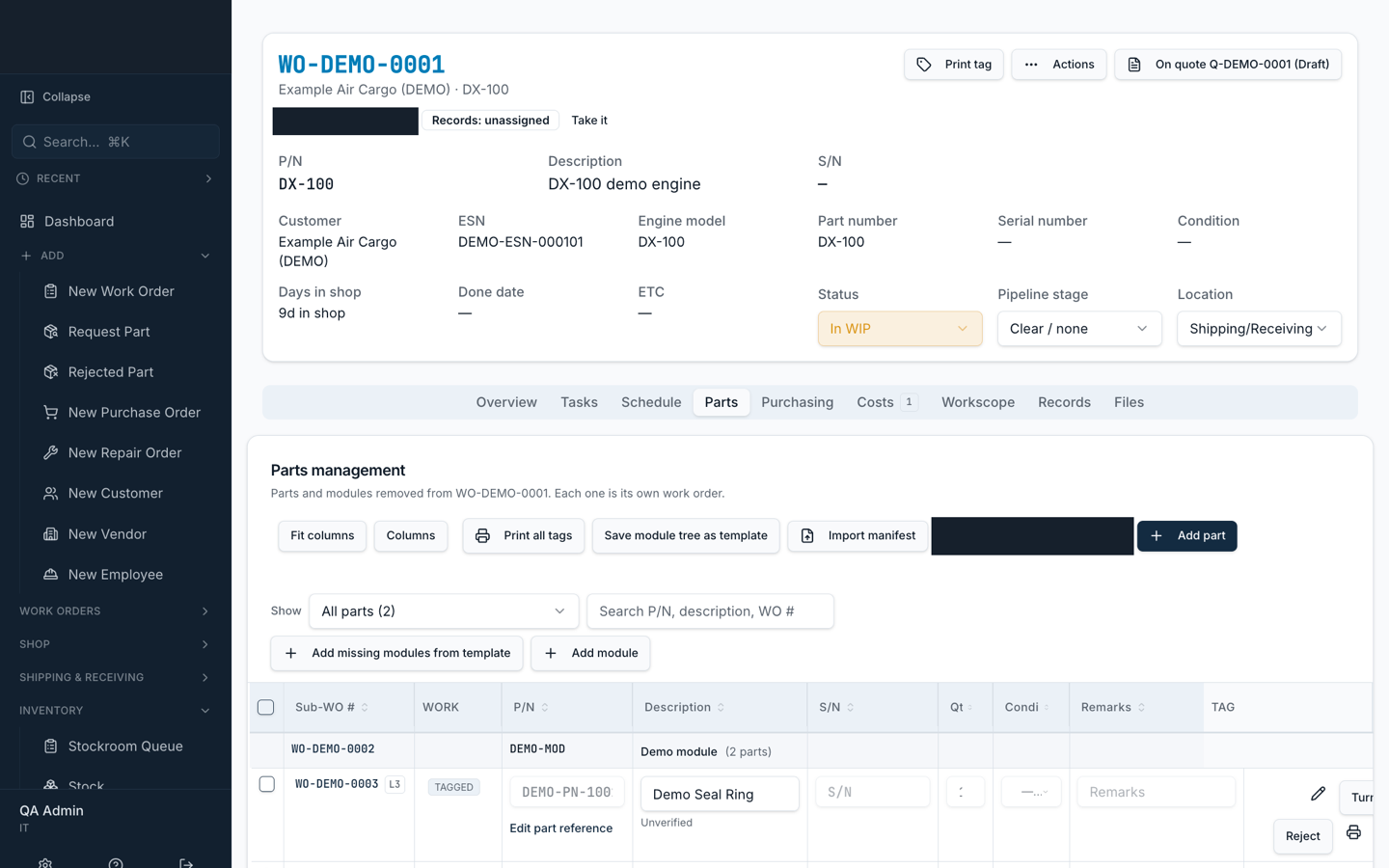
Work orders
Track every job from engine to module to piece part, with sub-work orders, status, assignment and labor entry. Holds need a reason. A tracking board shows what is moving and what is stuck.
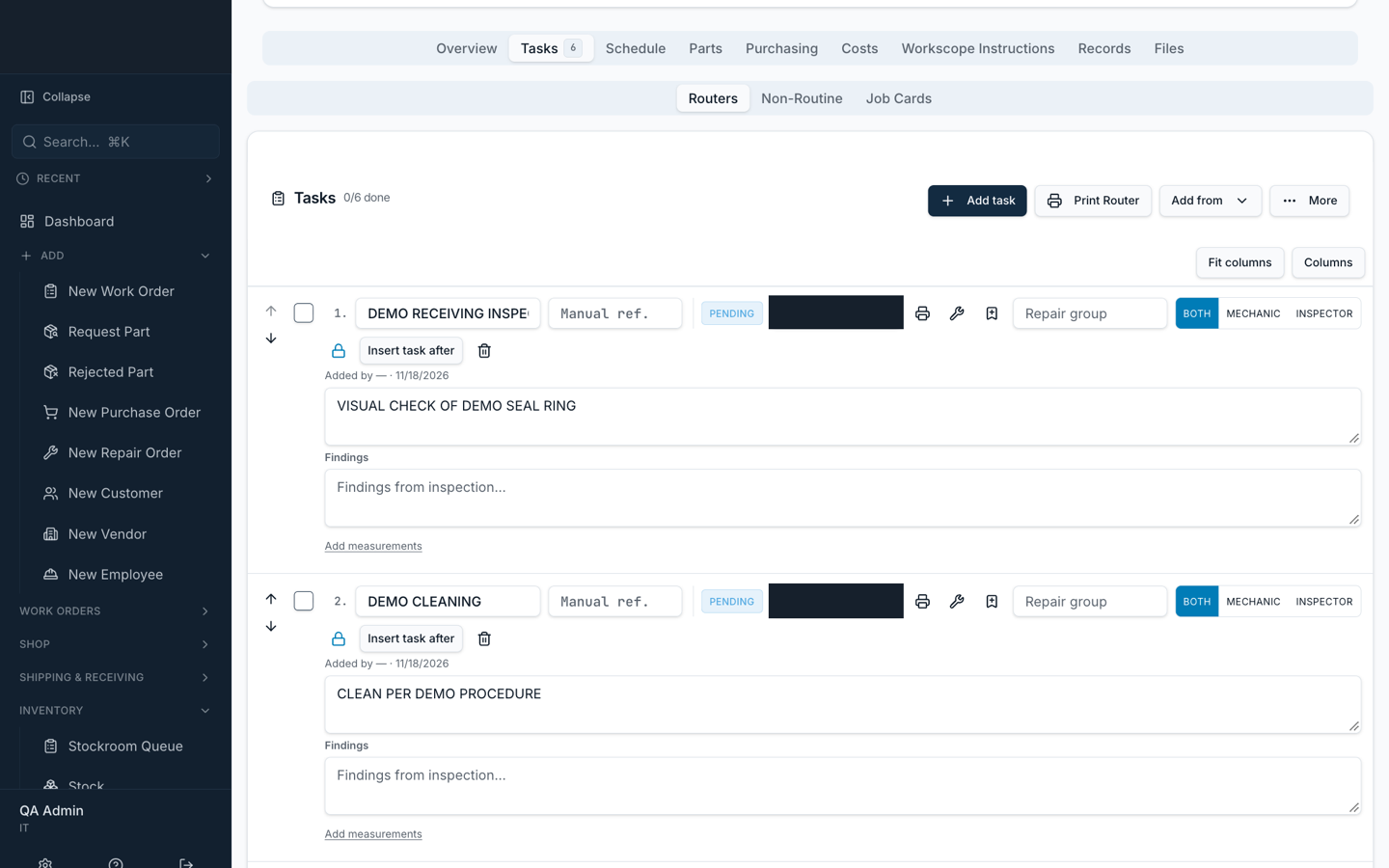
Printed routers
Build a master router for each engine position and model. Print the router for a work order straight from the job. Import an existing traveler PDF instead of retyping it. A locked router cannot be edited until someone with authority unlocks it.
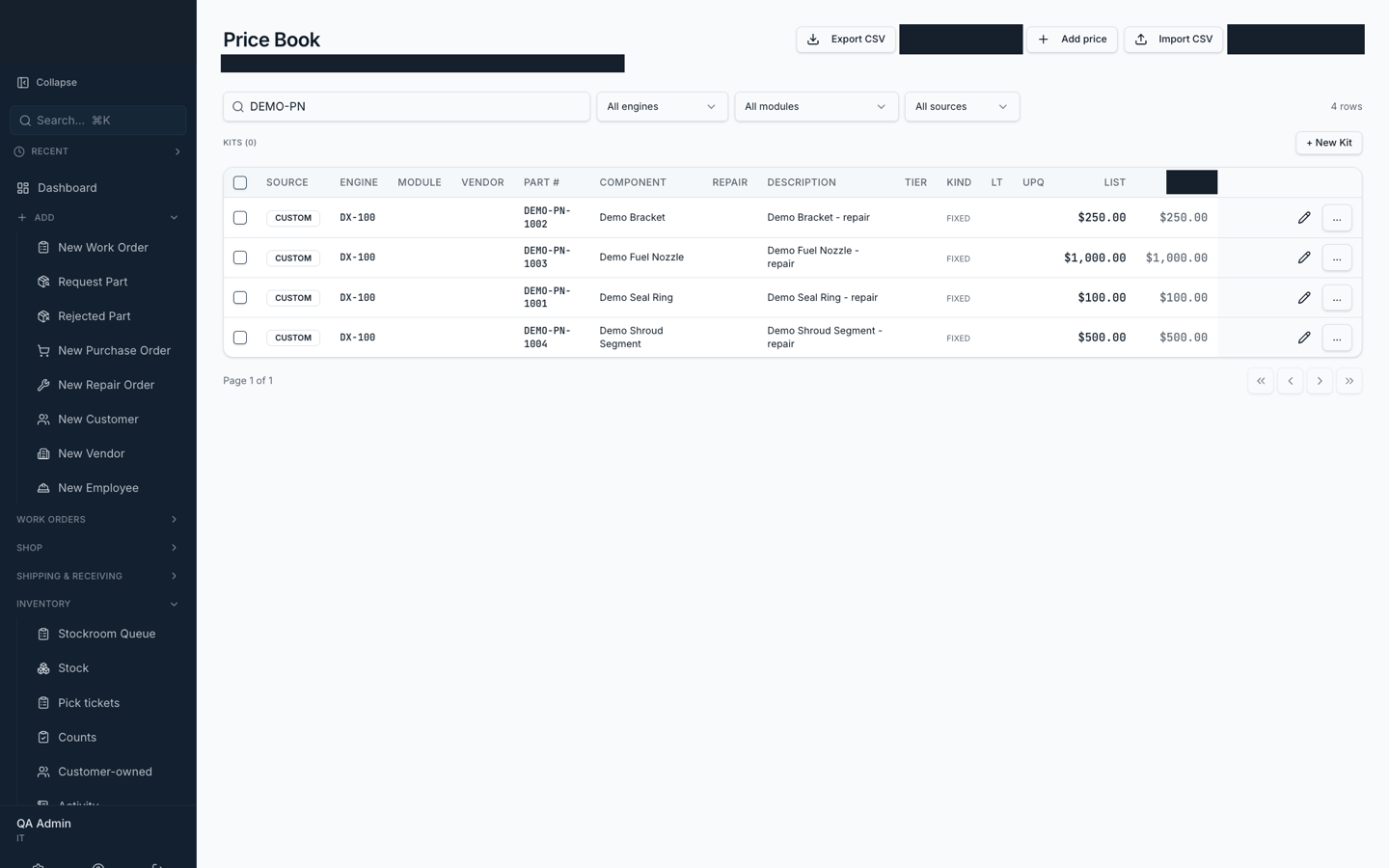
Repair catalog and pricing
Keep a part reference catalog by engine application and a price book next to it. Build quotes from both, send them through an approval step and print them. What the shop paid and what it charges sit behind separate permissions, so floor staff can work a job without seeing costs.
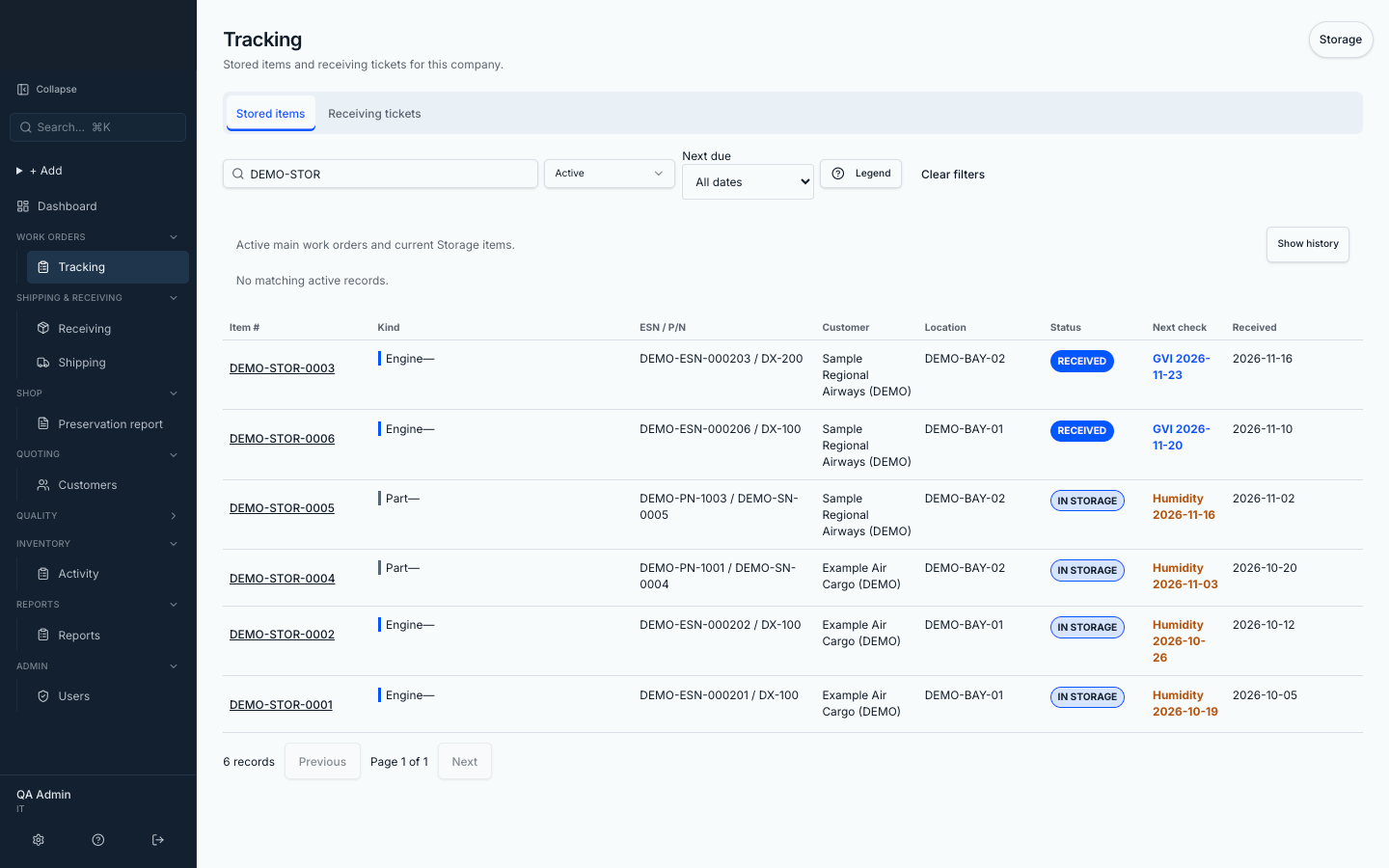
Storage
In buildStorage runs as its own company inside the same system, with its own staff, roles, forms and settings. It is built and in final rollout at the working shop. It is not live yet.
// How setup works
We load your catalogs and data.
Send us the spreadsheets and PDFs you run on now. Part catalog, customers, open work orders, routers. We load them in.
We set it up around your shop.
Your roles, your forms, your shop name and certificate numbers go in settings, so a form change does not wait on a developer.
You run a working system in weeks.
Staff sign in with their own accounts and see what their role needs. We stay on after go-live.
Running in a working turbine repair shop.
TurbineSuite was built for an FAA Part 145 repair station that overhauls turbine engines. Staff use it across the shop floor, inspection, stockroom, purchasing, shipping and receiving, engineering, quality, records and accounting, each in their own role. It replaced spreadsheets and paper.
// Questions
Who owns my data?
Your shop owns its data. TurbineSuite is licensed to you under a perpetual license. It is not sold outright. Your data exports anytime.
How do I get my current data in?
We load it for you. Send us your part catalog, customers, open work orders and routers in whatever form they live in now: spreadsheets, PDFs, Word files. We map them in and check the result with you before your staff touch it.
How do you train my staff?
Each role gets its own written guide: shop floor, inspection, stockroom, purchasing, shipping and receiving, and so on. Staff sign in and see only the screens their role uses, so there is less to learn.
How is it priced?
One-time setup plus a monthly fee. The price depends on your shop and which modules you need. We quote it after a demo, so you are pricing your shop, not a template.
What happens when something breaks or I need a change?
Every change is reviewed and tested on a full copy of the system before it goes to your live one. After release, we check the live system. The monthly fee covers keeping it running and supporting your staff.
See it with your part numbers in mind.
Twenty minutes. We show you the system running on demo data and you tell us where your shop gets stuck.